
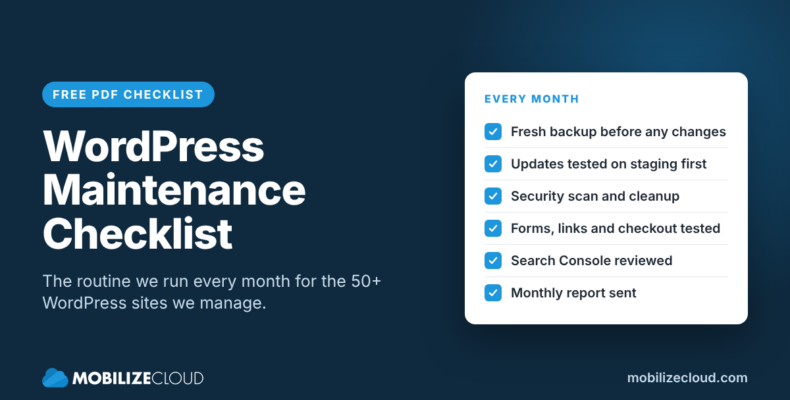
A good WordPress maintenance checklist covers four things: backups you can actually restore, updates tested before they go live, security scans, and checks that the parts of your site that make money (forms, checkout, search visibility) still work. Below is the exact monthly routine we run for clients on our WordPress maintenance plans, plus the daily and quarterly tasks that wrap around it.
You can use it to maintain your own site, or to check what your current developer or host is really doing for you.
We manage more than 50 WordPress sites, from large organizations like Nationwide Realty Investors, Easton, and The Marzetti Company to single-site installs for small businesses.
Why a monthly routine matters
WordPress itself is stable. Problems almost always come from the stack around it: 20 or 30 plugins from different developers, a theme, a PHP version, and a host, all updating on their own schedules.
September 2026 is a good example. WordPress shipped 7.1.1 on September 17 with 11 security fixes, then 7.1.2 five days later to patch a vulnerability the WordPress team rated critical. Sites with automatic background updates got the core patch on their own. Plugins and themes are a different story, and that is where most of the work in a maintenance routine sits.
We have seen what happens when that goes wrong. One of our clients ran their own plugin updates one night and broke their entire site. We had to go in and do a full site restore to get it back online. That’s why we think it’s worth having a developer double-check every update before it reaches the live site.
Daily: the automated safety net
These run without anyone touching them, but someone needs to be watching the alerts.
- Nightly backups, stored off the server. A backup that lives only on the same server as the site doesn’t help when the server is the problem.
- Uptime monitoring. We get an alert when a site goes down, usually before the owner notices.
- SSL certificate checks. An expired certificate puts a full-page browser warning in front of every visitor.
- CDN and caching running. Keeps pages fast and takes load off the server.
- Transactional email working. Contact forms and WooCommerce receipts that go to spam are a quiet way to lose leads. We set sites up to send through SendGrid instead of the server’s default mail.
On our plans, all of this is included at every level, starting with Essentials, because we host client sites on WP Engine as an agency partner.
Monthly: the WordPress maintenance checklist we run for clients
This is the core of the routine. We work through it once a month for every client on a Managed or Priority plan.
1. Take a fresh backup and confirm it restored cleanly
Before any updates, we make a restore point. A backup only matters if it restores, so for most sites we run a full restore down to a local environment once a month. If anything breaks during an update or deployment, we restore right away.
2. Copy the site to staging
Every update is tested on a staging copy of the live site first. This is the single most important rule on the list. Updating plugins directly on a live site is how a Tuesday afternoon turns into an outage.
3. Update WordPress core, plugins, and themes on staging
We update everything, then read the changelogs for anything flagged as a major version. Major plugin releases (page builders, WooCommerce, form plugins, SEO plugins) get extra attention because they change the most.
4. Test on staging, then push to live
On staging we click through the pages that matter: the homepage, key service pages, forms, and checkout if the site sells online. Once it looks right, we push the updates to the live site and check again.

5. Run a security scan and clean up anything it finds
We scan for malware, known plugin vulnerabilities, and suspicious files. If something turns up, cleanup is part of the plan, not an extra invoice.
While we’re in there:
- Remove plugins and themes that are inactive. Deactivated code can still be exploited.
- Review admin users. Former employees and old agency logins should not still have access.
- Check that premium plugin licenses are active, so updates keep coming.
For more on how we handle threats, see our WordPress security services.
6. Test forms, links, and checkout
A site can look perfect and still be broken where it counts. Each month we:
- Submit every contact and quote form and confirm the email arrives.
- Check for broken internal and external links.
- Run a test transaction through checkout on e-commerce sites.
7. Review Google Search Console
Search Console tells you what Google sees: crawl errors, pages dropped from the index, security issues, and manual actions. We look for new errors and for sudden drops in clicks or impressions, which often point back to a technical change. If we find a search problem that needs more than a fix, that’s where our SEO services come in.
8. Check the PHP version and hosting environment
WordPress.org currently recommends PHP 8.3 or newer and MySQL 8.0+ or MariaDB 10.11+. Older PHP versions still run WordPress, but they no longer get security fixes. We note when a site needs a PHP upgrade and plan it on staging like any other update.
9. Send a monthly report
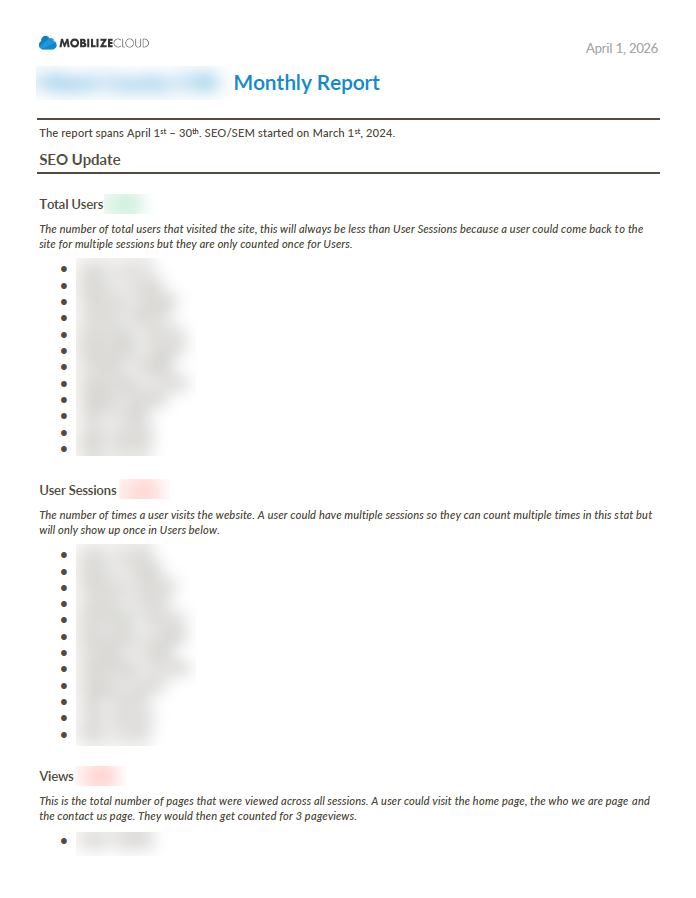
Every client gets a short report: what was updated, what the scan found, uptime for the month, and anything that needs a decision.
10. Use the dev hour
The Managed plan includes one hour of development time each month. Clients use it for small changes: a new page section, swapping a staff photo, adding a form field. Things that would otherwise sit on a to-do list for months.
Quarterly: speed, Core Web Vitals, and SEO checks
Some checks don’t need to happen every month but should happen on a schedule. For clients on our Priority plan, we run these every quarter:
- Speed and Core Web Vitals. We run key pages through PageSpeed Insights and look at real-user data in Search Console. Plugins added over a few months tend to slow sites down gradually.
- SEO health check. Title tags, meta descriptions, indexing, redirects, and internal links on the pages that bring in leads.
- Database cleanup. Clearing out post revisions, spam comments, and leftover data from removed plugins.
- Content review. Outdated staff bios, old prices, last year’s events, and the copyright year in the footer.
How to use this checklist on your own site
If you maintain your own WordPress site, here’s how to make the list manageable:
- Pick a fixed day each month. We use the same window every month so nothing slips.
- Never skip the backup or staging step. If your host doesn’t offer staging, that alone is a reason to look at a different host.
- Write down what you changed. When something breaks two weeks later, the log tells you where to start.
- Set aside two to six hours a month. A simple brochure site is at the low end; a site with e-commerce, memberships, or a lot of plugins is at the high end.
If that time is better spent running your business, that’s what a maintenance plan is for.
What our WordPress maintenance plans include
Here’s how the checklist maps to our WordPress care plans. All three are month to month and run on WP Engine:
- Essentials, $125/month: managed WP Engine hosting, nightly backups, SSL, CDN, uptime monitoring, SendGrid email setup, and free migration. This covers the daily checks.
- Managed, $325/month (recommended): everything in Essentials plus the full monthly routine above: updates tested on staging, security scan and cleanup, form/link/checkout checks, Search Console review, a monthly report, and 1 hour of development time.
- Priority, $525/month: everything in Managed plus the quarterly speed, Core Web Vitals, and SEO checks, 3 hours of development/content time, and priority same-business-day response.
Compare the plans side by side.
If you want every monthly item on this checklist handled for you, the Managed plan is the one to look at.
Not ready for a plan? We also do on-demand WordPress help billed hourly, starting at $200/hour. If your site is on another host now, we move it to WP Engine for free when you sign up. Organizations with several WordPress sites get a custom plan with multi-site discounts, and we set up and manage a dedicated WP Engine account for them. Smaller single sites are hosted on our managed WordPress hosting account. You can see everything else we do for WordPress, including custom development, on our WordPress services page.
FAQ
At minimum: off-site backups, uptime and SSL monitoring, core/plugin/theme updates tested on staging, a security scan, form and checkout testing, a Google Search Console review, and a quarterly speed and SEO check.
Security releases should be applied as soon as they come out; WordPress core can install these automatically. Plugin and theme updates should be tested on staging and applied at least monthly. We do it monthly for clients, and sooner when a plugin has a known security issue.
Our plans run $125, $325, or $525 per month, month to month, depending on whether you need hosting and monitoring only, monthly updates and testing, or added dev time and quarterly performance checks. Hourly help starts at $200/hour without a plan.
Yes. Use the checklist above, keep a backup you’ve tested, and always update on staging first. Most site owners who hand it off do so because of time, not difficulty.
Let us handle the checklist
Every item on this list is something we already do each month for clients in Columbus and across the country. If you’d rather have it done for you, with a report that shows what changed, get started with our Managed WordPress plan, or compare all three plans on the same page.