
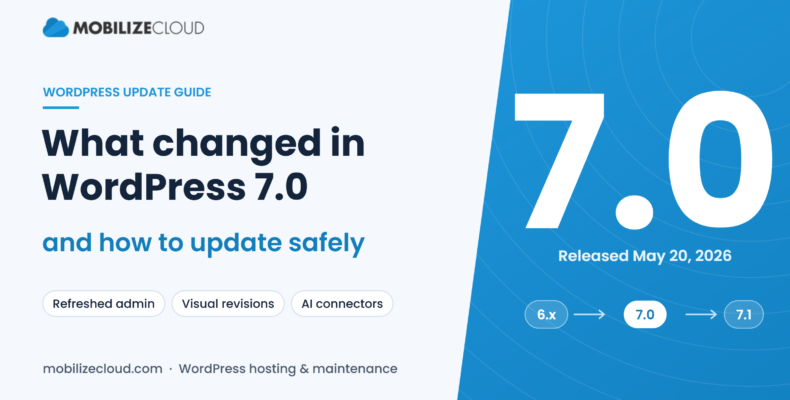
WordPress 7.0 was released on May 20, 2026. It brought a refreshed admin, visual page revisions, a central place to connect AI and other outside services, and a new minimum of PHP 7.4. Most well-maintained sites update without trouble. Sites running old PHP versions or abandoned plugins are the ones that break, so test on a staging copy before you update the live site.
That’s the process we follow on every site under our WordPress maintenance plans, and it’s laid out step by step below. First, here’s what actually changed.
Is WordPress 7.0 released?
Yes. WordPress 7.0 was originally planned for April 9, 2026, then delayed to May 20 while the core team finished what they called “necessary architectural improvements.” Since then, WordPress 7.1 came out on August 19, 2026, followed by a 7.1.1 bugfix release. If your site still says 6.x in the dashboard, you’re two major versions behind.
What’s new in WordPress 7.0
These are the changes from the official release notes that most small business sites will notice.
A refreshed admin
The dashboard got new color schemes, updated buttons and form fields, and smoother page transitions. Nothing moved far, but your team may notice it looks different the first time they log in. Give them a heads-up so nobody thinks the site was hacked.
Visual revisions
Revision history is now a timeline with visual markers showing what changed. You can scroll back through versions of a page and restore one without comparing raw code. For anyone who has ever said “the homepage looked better last week,” this is the most useful change in the release.
AI foundations
WordPress 7.0 adds a central hub for connecting external services and AI providers inside the editor. On its own, it doesn’t write content for you. It gives plugins and providers one standard place to plug in instead of every plugin building its own settings screen. Expect more plugins to use it over the next year.
Patterns as single blocks
Patterns, the pre-built page sections, now behave like one block. That makes them easier to move and restyle without breaking the layout inside them.
Font library for every theme
You can browse and manage fonts from the editor regardless of which theme you use. Previously this was limited to block themes.
Responsive block visibility
You can show or hide blocks at different screen sizes, such as a long table on desktop with a simpler version on mobile. That used to need custom CSS or a plugin.
Navigation overlays and an Icon block
You can now design the mobile menu overlay (columns, font size, alignment) and insert icons from a built-in library with the new Icon block.
What didn’t ship: real-time collaboration
The biggest headline before launch was Google Docs-style real-time editing. It was removed from 7.0 over concerns about race conditions, server load and memory use, and it didn’t ship in 7.1 either. WordPress 7.1 did improve Notes instead, adding formatting, @mentions with email notifications and inline comments. That gives teams a way to leave feedback on a draft even though two people still can’t edit at once.
If a plugin or vendor tells you that you need special hosting for “WordPress 7 collaboration,” that isn’t true for any released version yet.
The change that actually breaks sites: PHP 7.4 minimum
WordPress 7.0 dropped support for PHP 7.2 and 7.3. The minimum is now PHP 7.4, and the recommended version is 8.3 or newer. The database minimum didn’t change.
Most hosts moved off PHP 7.x a while ago, but we still find small business sites on old shared hosting running versions that are years out of date. On those sites, the WordPress update itself is usually fine. The trouble comes from moving PHP forward, because old plugins and custom theme code written for PHP 7 can throw errors on PHP 8.
To check your version, go to Tools → Site Health → Info → Server in your dashboard.
How to update to WordPress 7.0 safely
This is the order we follow. It works for 7.0, 7.1 and any major release after.
1. Take a full backup you can actually restore
You need both files and the database, stored somewhere other than the server itself. A backup you’ve never tested is a guess. Our Essentials plan includes nightly backups on WP Engine.
2. Copy the site to staging
A staging site is a private copy of your site where you can break things safely. Managed hosts like WP Engine create one in a few clicks. Shared hosting often doesn’t offer this, and that’s a big reason we move clients off it.
3. Update PHP first, on staging
If you’re below PHP 8.x, move PHP up on staging before touching WordPress. Fix any errors that show up, then continue.
4. Update plugins and the theme, then WordPress core
Update plugins and your theme to their latest versions first, since most developers release compatibility fixes ahead of a major release. Then update core. Check for any plugin that hasn’t been updated in more than a year. Those are your biggest risk, and it’s often time to replace them.
5. Test what makes you money
Don’t just load the homepage. Submit every form and check the email arrives. Run a test checkout if you sell online. Click through the main menu on a phone. Check that booking widgets, maps and tracking scripts still fire.
6. Push to live and check again
Deploy the tested version, clear caches, and repeat the quick checks on the live site. Keep the backup from step 1 for at least a couple of weeks.
Should you turn on automatic major updates?
For a simple brochure site with few plugins, automatic minor (security) updates are a good idea and are on by default. For major releases like 7.0, we prefer a person tests first. A broken contact form can go unnoticed for weeks, and that’s lost leads you’ll never see.
FAQ
Is WordPress 7.0 released?
Yes. WordPress 7.0 was released on May 20, 2026, after a delay from its original April date. WordPress 7.1 followed on August 19, 2026.
What is new in WordPress 7.0?
The main changes are a refreshed admin, visual revisions, a hub for AI and external service connections, patterns that act as single blocks, a font library for all themes, responsive block visibility, navigation overlays and a new Icon block.
Does WordPress 7.0 include real-time collaboration?
No. Real-time co-editing was removed before release and was not included in 7.1. WordPress 7.1 improved Notes for asynchronous feedback instead.
What PHP version does WordPress 7.0 need?
PHP 7.4 or newer. Support for PHP 7.2 and 7.3 was dropped, and PHP 8.3 or newer is recommended.
Will updating to WordPress 7.0 break my site?
Usually not, if your plugins and theme are current. Sites with outdated PHP or abandoned plugins are most at risk. Test on a staging copy first.
Want someone else to handle updates?
Every month, our Managed plan ($325/mo) updates WordPress core, plugins and your theme on staging, tests forms, links and checkout, and runs a security scan before anything touches your live site. It also includes managed WP Engine hosting and a monthly report. If you just need help getting one site onto 7.x, we also do on-demand WordPress work starting at $200/hour.
See our WordPress hosting and maintenance plans and get started