Businesses in ChatGPT: How to Claim Your Business Profile
 Rob CarrollFounder, Mobilize Cloud
OpenAI just launched Businesses in ChatGPT in beta, and it gives business owners something they haven’t had before: a way to claim their business in ChatGPT, correct what it says about them, and see how often they come up. If you run a business, you should claim your profile in ChatGPT’s Business Hub now. It’s free at launch, and your customers are already asking ChatGPT for recommendations. Below I’ll walk through what was announced, how claiming works, and how we’ll get our clients set up as part of our AI search optimization work.
What OpenAI announced
On November 10, 2026, OpenAI introduced Businesses in ChatGPT, a beta program with two main pieces:
- Business Hub at chatgpt.com/business-hub, where an owner or authorized representative claims the business, verifies it and manages its profile.
- Business Agents, a customer-facing assistant a business can publish inside ChatGPT to answer questions about its products and services. Agent conversations are labeled and kept separate from ChatGPT’s own answers.
Press coverage has compared the profiles to Google Business Profile, and that’s a useful way to think about it. Claiming it is the same move for ChatGPT, which OpenAI says about 1.2 billion people use each week.
What a ChatGPT business profile includes
Once your claim is approved and your identity is verified, you can manage your profile and see how ChatGPT is using it. Based on OpenAI’s announcement and early hands-on reports, that includes:
- Business details: website, description, product or service category, logo and cover photo, plus delivery and return policies for sellers. OpenAI reviews edits before they go live.
- Product feeds: retailers can upload a feed with current prices and availability, or connect a Shopify store.
- Insights: a 28-day view of mentions, website clicks and “discovery topics,” the recurring themes in conversations where your business came up.
- A blue verified check on the claimed business.
For an online business, a mention counts when ChatGPT references your website; for a local business, it counts when a result for your location is shown, even if nobody clicks. Insights only appear once there’s enough activity, so a blank dashboard can mean the data is still collecting. And OpenAI says it doesn’t share people’s conversations or Business Agent chats with businesses, so you’ll see trends, not transcripts.
Who can claim a profile right now
Eligibility depends on what kind of business you run:
- Most businesses: OpenAI says eligible businesses located wherever ChatGPT is available can start by claiming their business in Business Hub. You need to be the owner or an authorized representative, and you need a website.
- Local stores and restaurants: for now, you can only claim a listing ChatGPT already has, and only in the U.S.
- Business Agents: starting with eligible e-commerce and online service businesses in the U.S.
You don’t need a ChatGPT Enterprise agreement or an ads account to claim a profile.
How claiming works, step by step
The setup takes a few minutes if you have the right access ready:
- Sign in to ChatGPT with the account you want to manage the business (use a work account, not a personal one you might lose access to).
- Go to chatgpt.com/business-hub and search for your business name. Pick it from the list, or choose the option to create a new listing if it isn’t there.
- Verify the business. Depending on the business, the options are a text or automated call to your listed business phone number, a code sent to a business email address, a TXT record added to your domain’s DNS, or connecting your Shopify store.
- Verify your identity. Once the claim is approved, ChatGPT asks you to verify your identity with a government-issued ID before you can edit business info or publish a business agent. Early reports say this runs through Persona, OpenAI’s verification partner, and can also ask for business registration details and proof that you’re authorized to act for the business.
- Fill out your profile, then, if you’re eligible, set up a product feed and a Business Agent.
The verification step is the one most likely to slow a small business down. The listed phone number has to be one you can answer, the email has to be on your own domain, and the DNS option means someone needs access to wherever your domain is managed.
What it looks like when you search for your business
Here’s what I saw when I searched for Mobilize Cloud in Business Hub today. ChatGPT already had our Tuller Road office listed, along with an older Dublin listing and a few similarly named businesses in other states, plus an option to create a new listing.
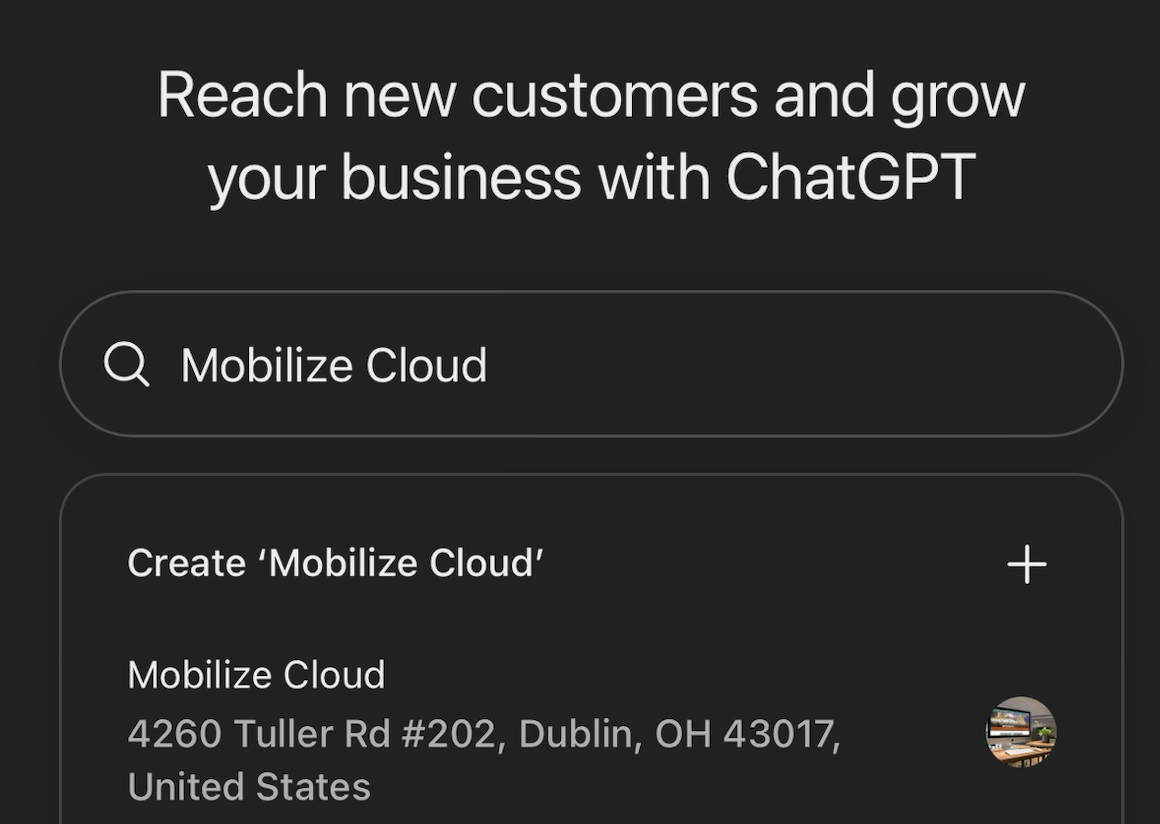
Searching for a business in ChatGPT’s Business Hub. Check every result: ChatGPT may already have an old address or a duplicate listing for you.
If ChatGPT has an outdated address or a duplicate for your business, you want to be the one telling it which listing is right. Picking your listing opens the claim screen.
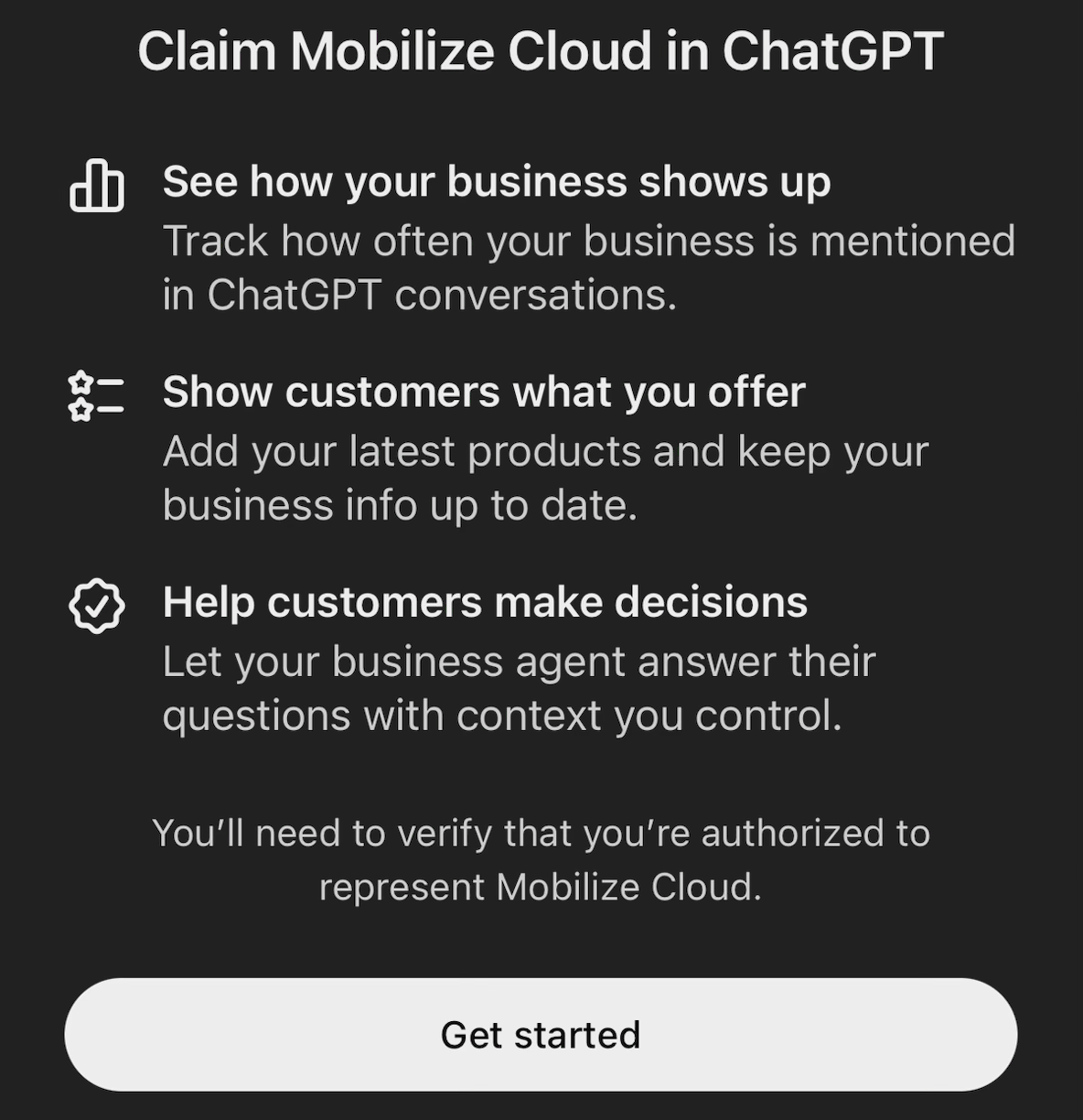
The claim screen: mention tracking, up-to-date business info and products, and a business agent, all after you verify you’re authorized.
Once you submit, the claim goes into review. ChatGPT shows its status in three stages (claim received, review in progress, decision reached) and emails a decision or asks for more information. You can withdraw the claim at any time during the review. We claimed Mobilize Cloud while writing this post, and the review moved fast: our claim went from received to approved within a couple of minutes. Yours may take longer.
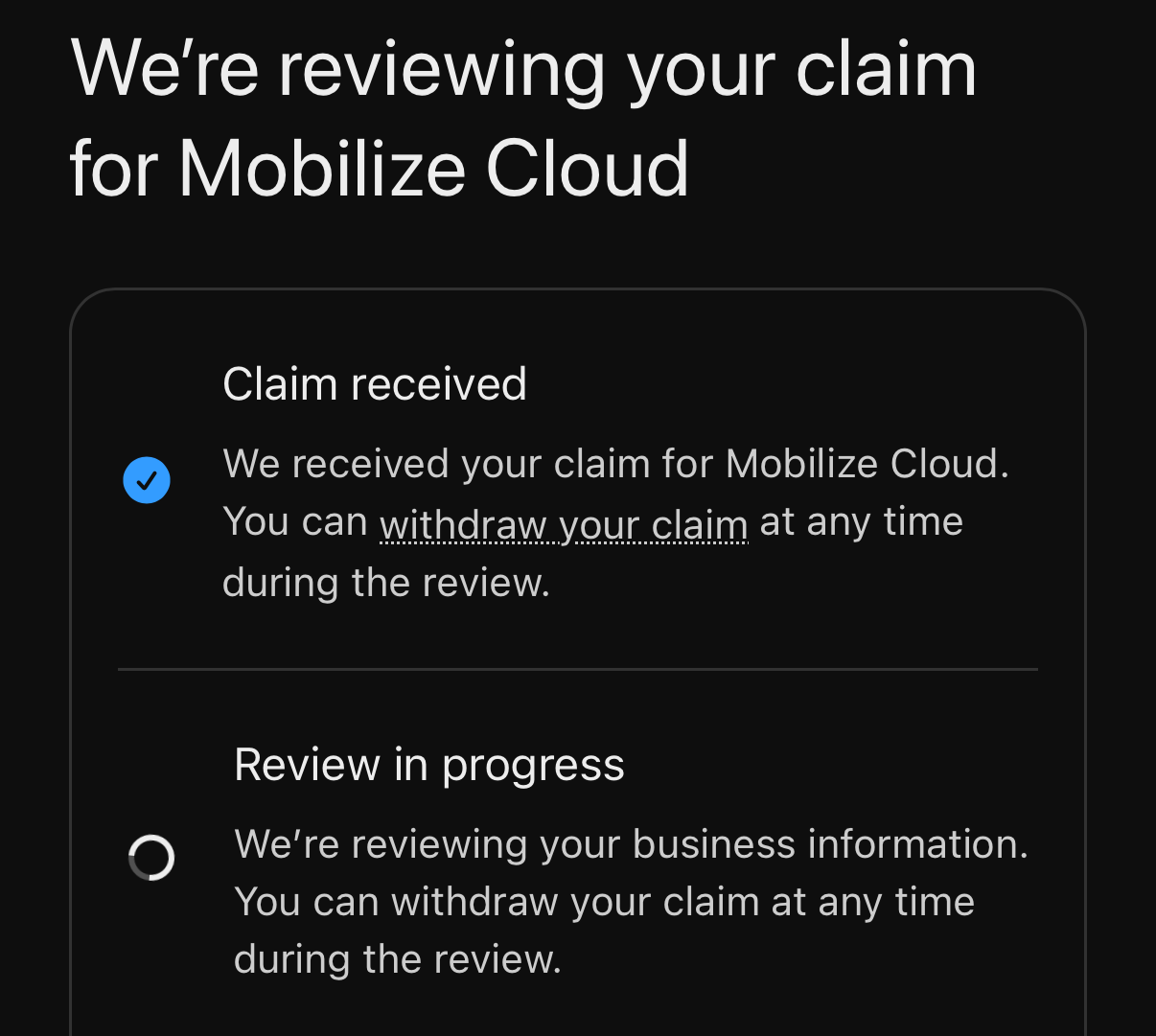
Our claim in review. ChatGPT emails the decision, or asks for more information, when the review is done.
Once approved, you get a confirmation screen with three next steps: review and launch your business agent, manage your business (insights, products and details), and, in our case, an offer of $500 in credit for ChatGPT Ads.
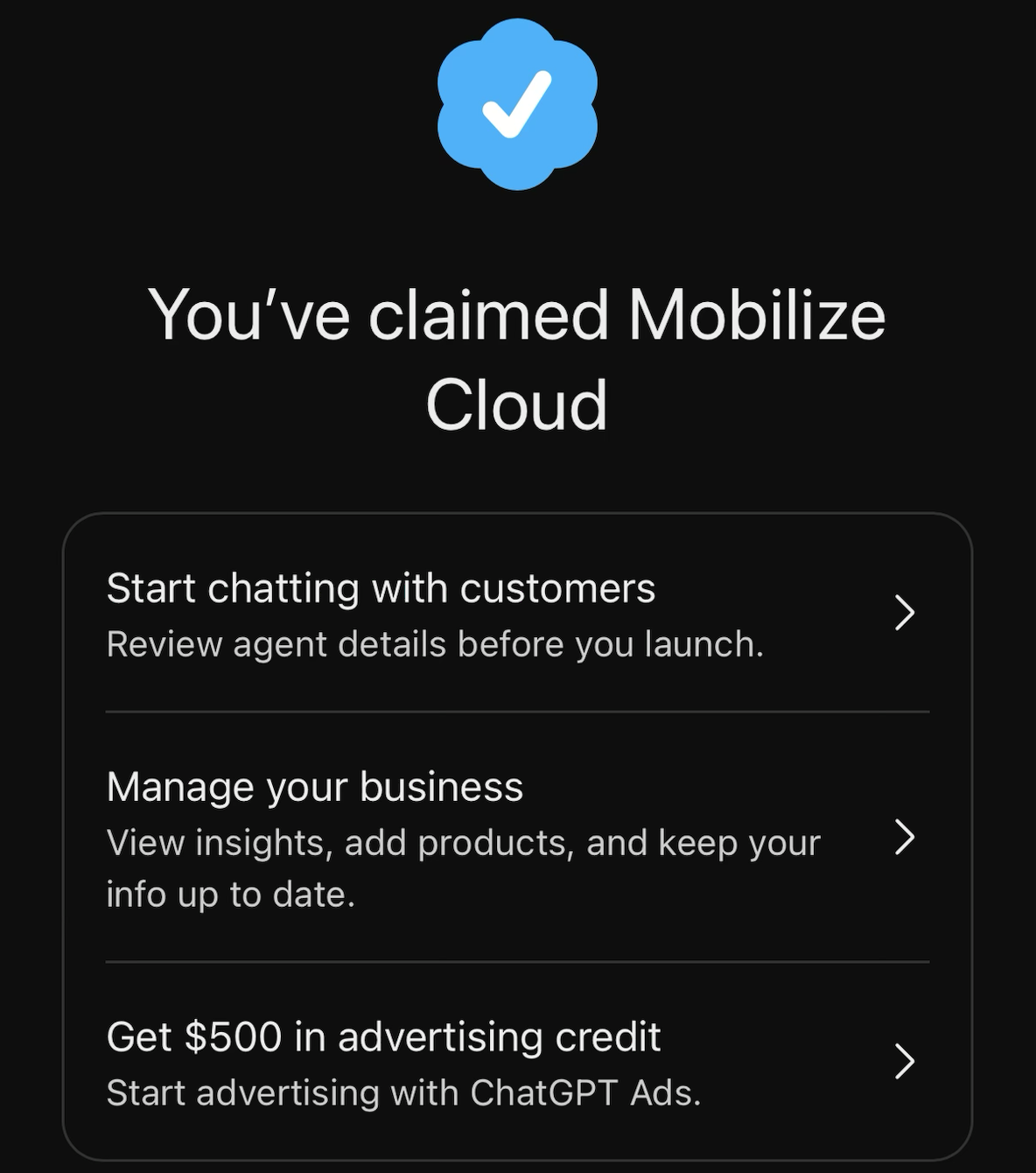
Claim approved. From here you can set up a business agent, manage the profile, or try ChatGPT Ads with the offered credit.
What you see after your claim is approved
Identity verification comes next. The business overview shows your name and address, with a prompt to verify your identity with a government-issued ID. ChatGPT says this is required before editing business info or publishing your business agent, so plan for the owner, or whoever is authorized, to do it. The same page has an Invite button for adding other people to the business.
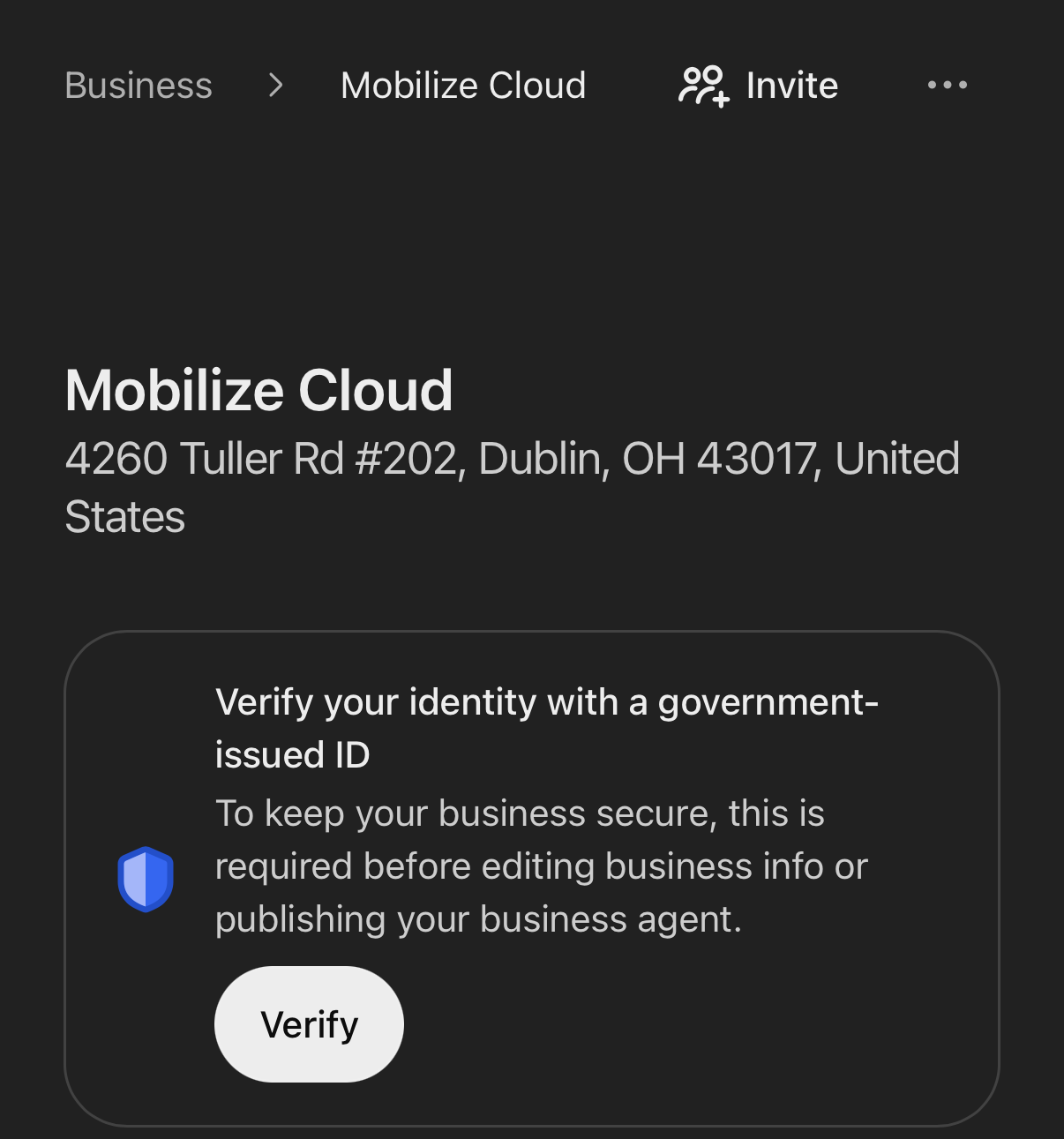
The business overview: verify your identity before you can edit your info or publish an agent.
The agent builder isn’t open to everyone yet. When we tried the agent builder, ChatGPT told us it’s being rolled out gradually to different types of businesses and will be available for ours soon. That lines up with OpenAI’s note that Business Agents start with eligible U.S. e-commerce and online service businesses.
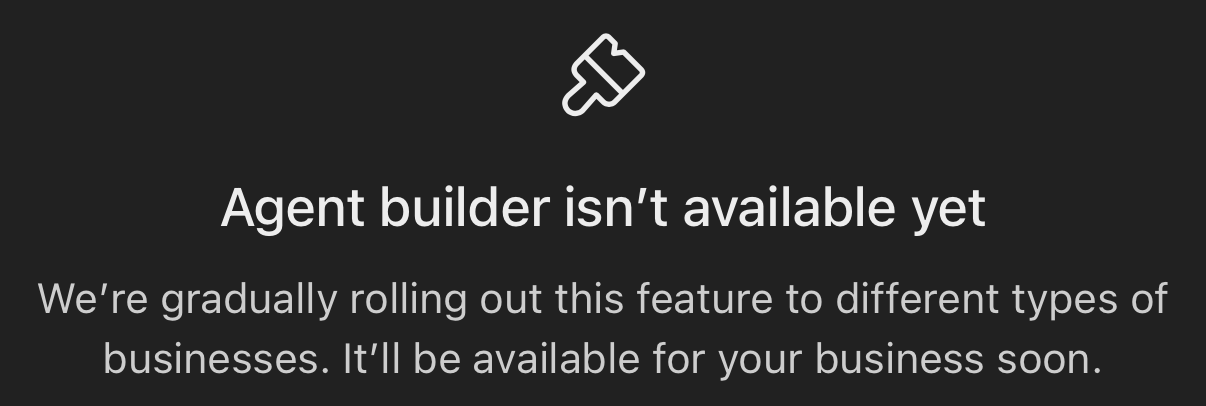
The agent builder is rolling out by business type, so you may see this message for now.
Products have their own tab. The Products page has Feeds, Upload history and Issues tabs. ChatGPT says added products can show up in its responses when they match what people are looking for, and in your business side panel.
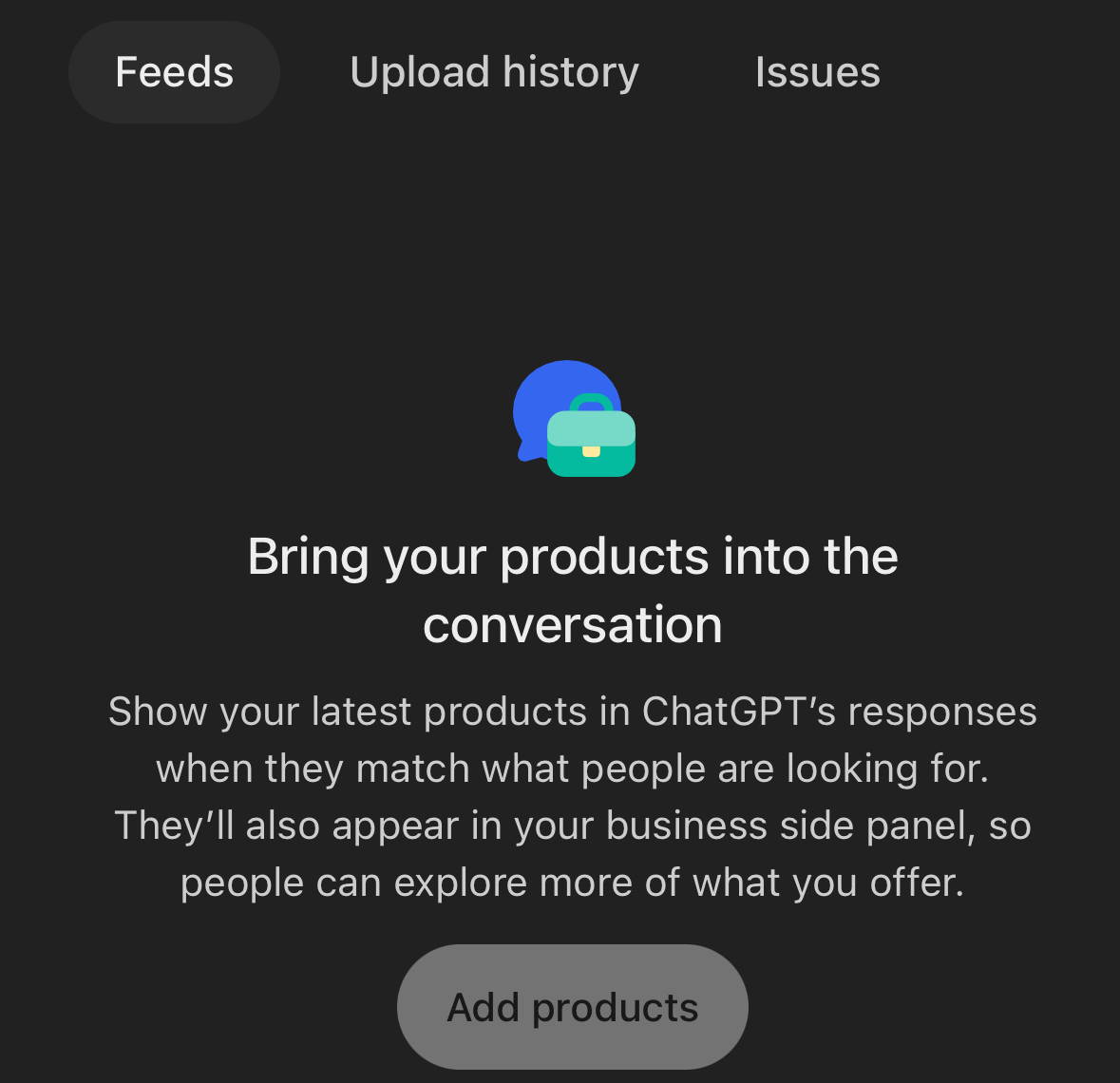
The Products page, where you add a product feed and check upload issues.
What claiming will and won’t do
OpenAI says claiming doesn’t guarantee higher placement or sales, and ChatGPT keeps making its own independent recommendations using other sources alongside your profile. Paid placement is a separate product: OpenAI’s ads can point to a Business Agent, and sponsored placements are labeled.
So claiming isn’t a ranking trick. It gives ChatGPT accurate details straight from you, a way to fix what’s wrong, and a first look at how often ChatGPT puts you in front of people. To be recommended, you still need a website AI can read and trust.
How we’re helping our clients get set up
We’re treating this like Google Business Profile: every client should have it claimed, verified and kept current. Here’s how we’ll help:
- Claim and verify. We’ll walk through Business Hub with you and handle the technical verification. Business Hub has an Invite button on each business, so you can add us without sharing your login. If we manage your DNS, we can add the TXT record for you; if verification needs your phone or email, we’ll tell you exactly what to expect.
- Get the identity check done. The government ID step needs the owner or an authorized person, so we’ll tell you exactly what to have ready.
- Fill out the profile. We’ll write a clear description, choose the right category, add your logo, cover photo and policies, and make sure they match your website and Google Business Profile.
- Set up products and agents as they open up. For sellers, we’ll connect a product feed or Shopify store. As the agent builder reaches each client’s business type, we’ll help draft its guidelines and business context before it goes live.
- Track it. We’ll watch the 28-day insights, and because ChatGPT links carry utm_source=chatgpt.com, we’ll make sure those visits show up as their own source in Google Analytics 4.
If you’re a Mobilize Cloud client, you don’t need to start this on your own. Reach out and we’ll set up a time to claim your business together, since the owner usually needs to be there for the verification steps.
AI visibility is already in our client portal
Claiming a profile is the newest piece, but it isn’t the first thing we’ve done to get clients seen by AI. Our client portal already tracks AI visibility for every client website, alongside uptime, speed and email health:
- AI readiness: a score from our LLMs Ledger checker, broken down by area, with a list of what to fix and whether AI crawlers can reach the site.
- llms.txt health: the score, issues and any broken links in the site’s llms.txt file, the plain-language map of a website written for AI assistants.
- AI citations: how often AI assistants and AI search cite the site, broken out by platform, using Ahrefs data.
That gives us a baseline before a client claims a ChatGPT profile. Business Hub shows how ChatGPT treats your business; the portal shows how your site does across ChatGPT, Google AI Overviews, Perplexity and others in one place. For more on the groundwork behind this, see our guide to AI SEO.
FAQ
What is Businesses in ChatGPT?
It’s a beta program from OpenAI, launched November 10, 2026, that lets businesses claim a profile in ChatGPT through Business Hub, update their details, add product feeds, see insights on how often ChatGPT mentions them, and, for eligible U.S. e-commerce and online service businesses, publish a Business Agent that answers customer questions.
Does it cost anything to claim my business in ChatGPT?
OpenAI lists no fee for claiming a profile, and press reports say claiming and publishing a Business Agent are free at launch. Ads in ChatGPT are a separate, paid product.
Will claiming my profile make ChatGPT recommend my business more?
Not by itself. OpenAI says claiming doesn’t guarantee higher placement or sales, and ChatGPT keeps making independent recommendations. Claiming makes sure ChatGPT has accurate details from you and shows you how often you’re being mentioned.
Can local businesses claim a profile?
Yes, with a limit for now: local stores and restaurants can only claim a listing ChatGPT already has, and only in the U.S. If your local business doesn’t appear yet, focus on your website and Google Business Profile so ChatGPT has good information to draw on.
Get your business ready for ChatGPT
AI assistants are becoming one more place people find a business, and ChatGPT just gave owners a front door. If you want help claiming your profile and making sure your site is ready for AI search, see our AI search optimization services or ask about AI consulting. New clients can start with a free website check that covers speed, search and AI readiness.
Rob Carroll
Founder of Mobilize Cloud
Rob studied computer science at Ohio State and started Mobilize Cloud in January 2012. Today the team manages more than 60 WordPress sites for Columbus-area and national clients. More about Rob